Use cases

One workspace.Every kind of work.

Switch between Code, Research, Content creation, Factory mode, and Fledge mode—each with presets built for the task.

01 · Code

Small diffs.Verified pull requests.

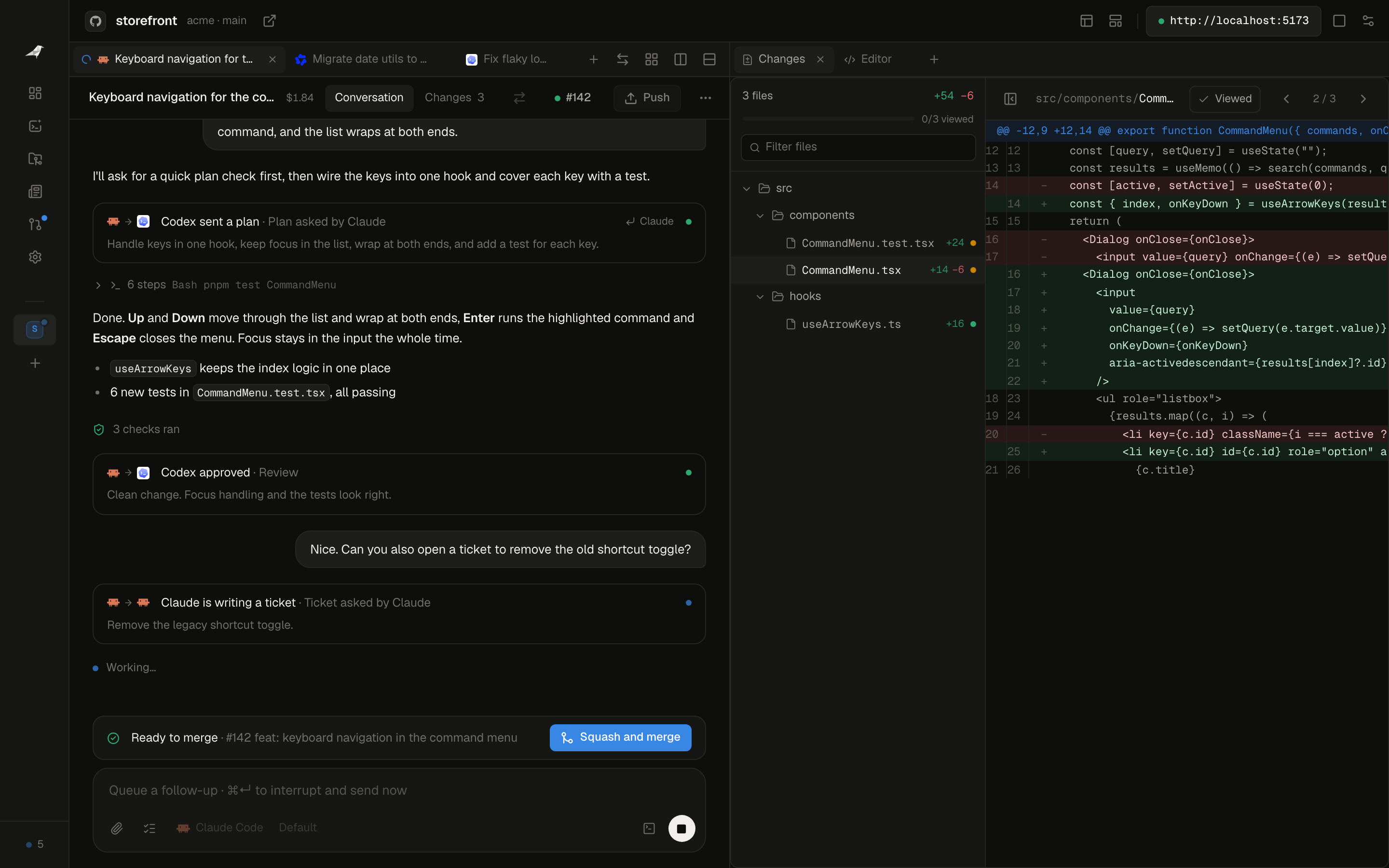
Pair alongside the live diff, terminal, and local browser preview. Built-in quality gates check every change before review.

Fledge Code workspace showing an agent conversation beside changed files and the live diff.
Presets: Code · Review · Debug · Preview Panels: Session, Changes, Editor, Terminal, Checks, Browser

02 · Research

Experiments, GPUs,and papers together.

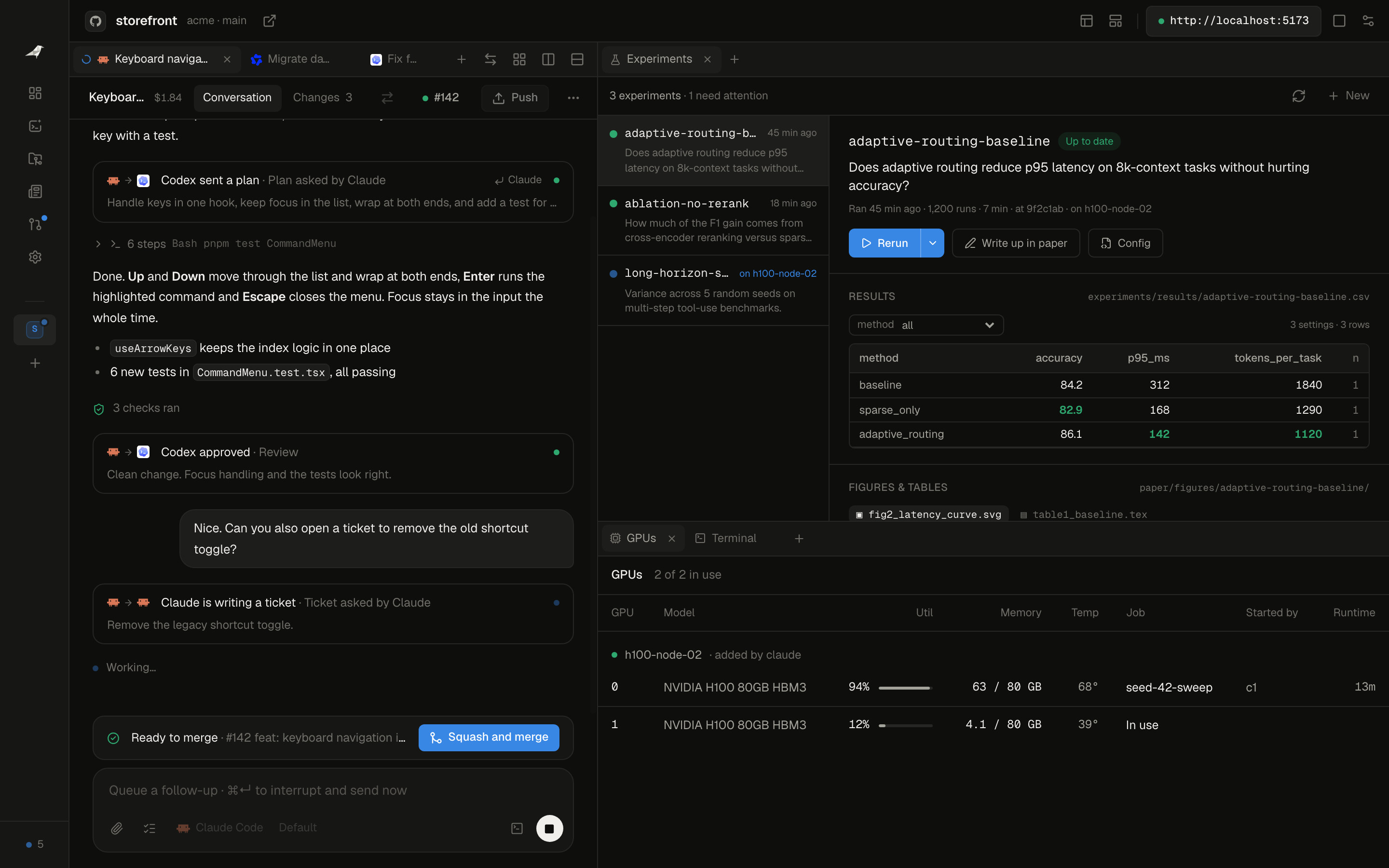
Track experiments, inspect result tables and figures, monitor registered GPU hosts, and edit LaTeX manuscripts beside live PDFs and citation checks.

Fledge Research workspace showing experiments, live CSV results table, and H100 GPU utilization beside the agent session.
Presets: Research · Studio, Experiments, Reading Panels: Paper (LaTeX + PDF), Experiments, Plots & tables, References, GPUs

03 · Content creation

Draft, preview, andorganize media.

Write docs, essays, or launch posts with an agent beside a live Markdown preview and your project’s documents, images, and media—with or without git.
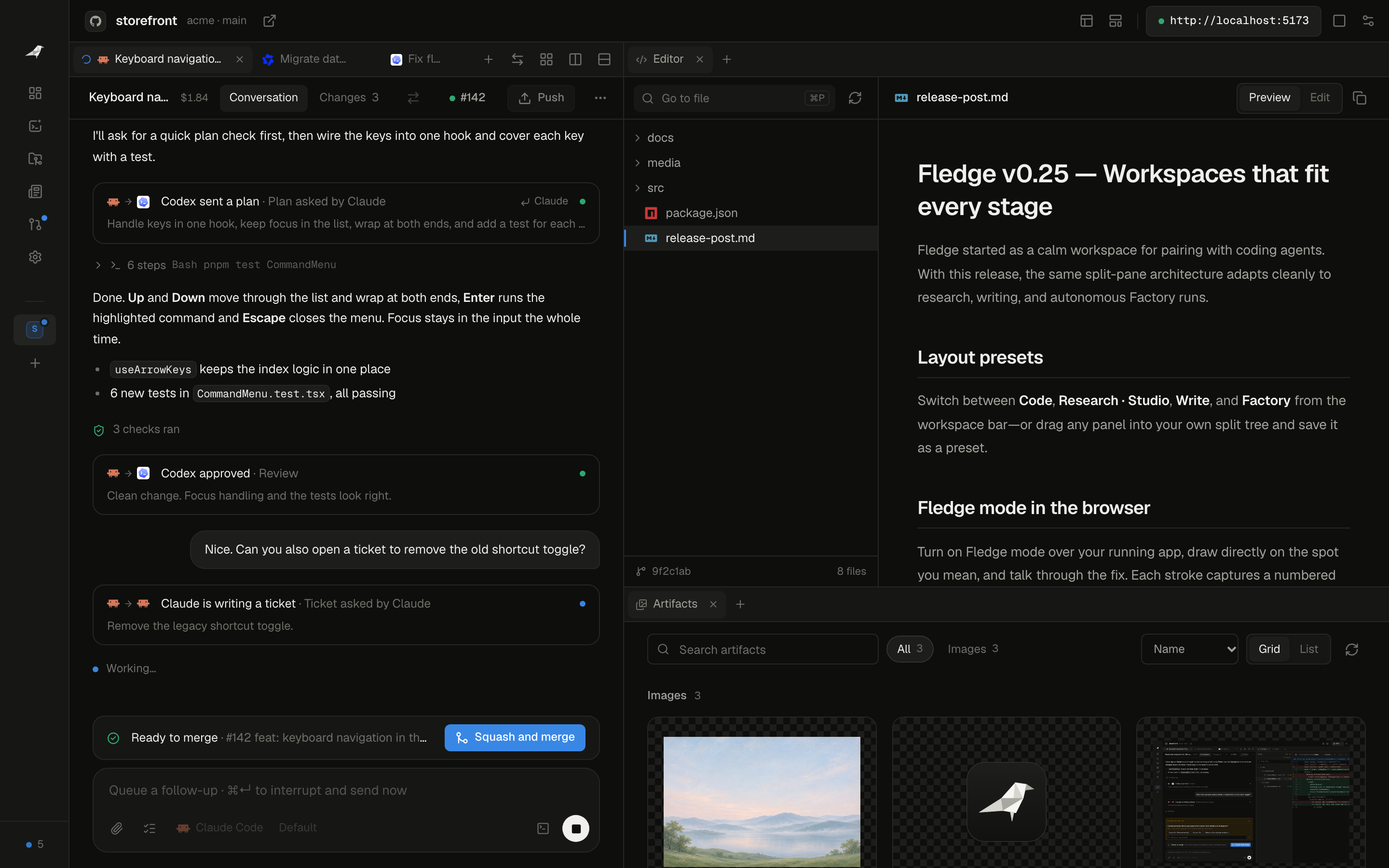
Fledge Write layout showing an agent session beside a live Markdown preview and the Artifacts panel.
Presets: Write · Plan · Focus Panels: Session, Editor preview, Artifacts, Local projects

04 · Factory mode

Autonomous runs.You stay in control.

Run an orchestrator agent over your backlog with live Agent flow, dependency-ordered PR stacks, merge-risk policies, and recurring schedules.
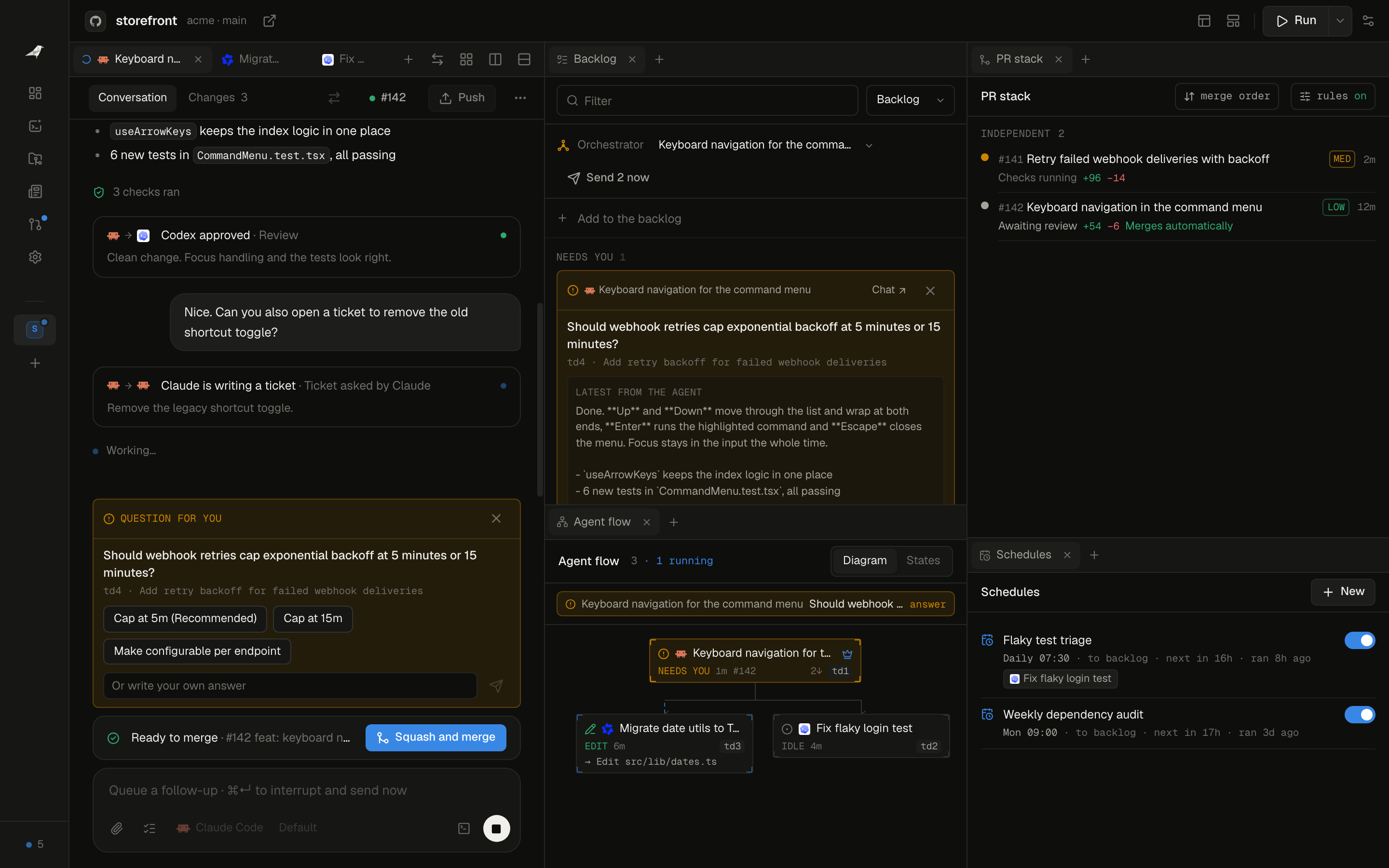
Fledge Factory workspace showing the orchestrator session, backlog, Agent flow diagram, PR stack with merge risk, and recurring schedules.
Presets: Factory · Command center Panels: Orchestrator, Backlog, Agent flow, PR stack, Schedules

05 · New · Fledge mode

Draw on the page.Talk through the fix.

Turn on Fledge mode in the built-in browser to sketch directly over your running app, record voice or screen clips, and send annotated changes—or orchestrate them across agents.
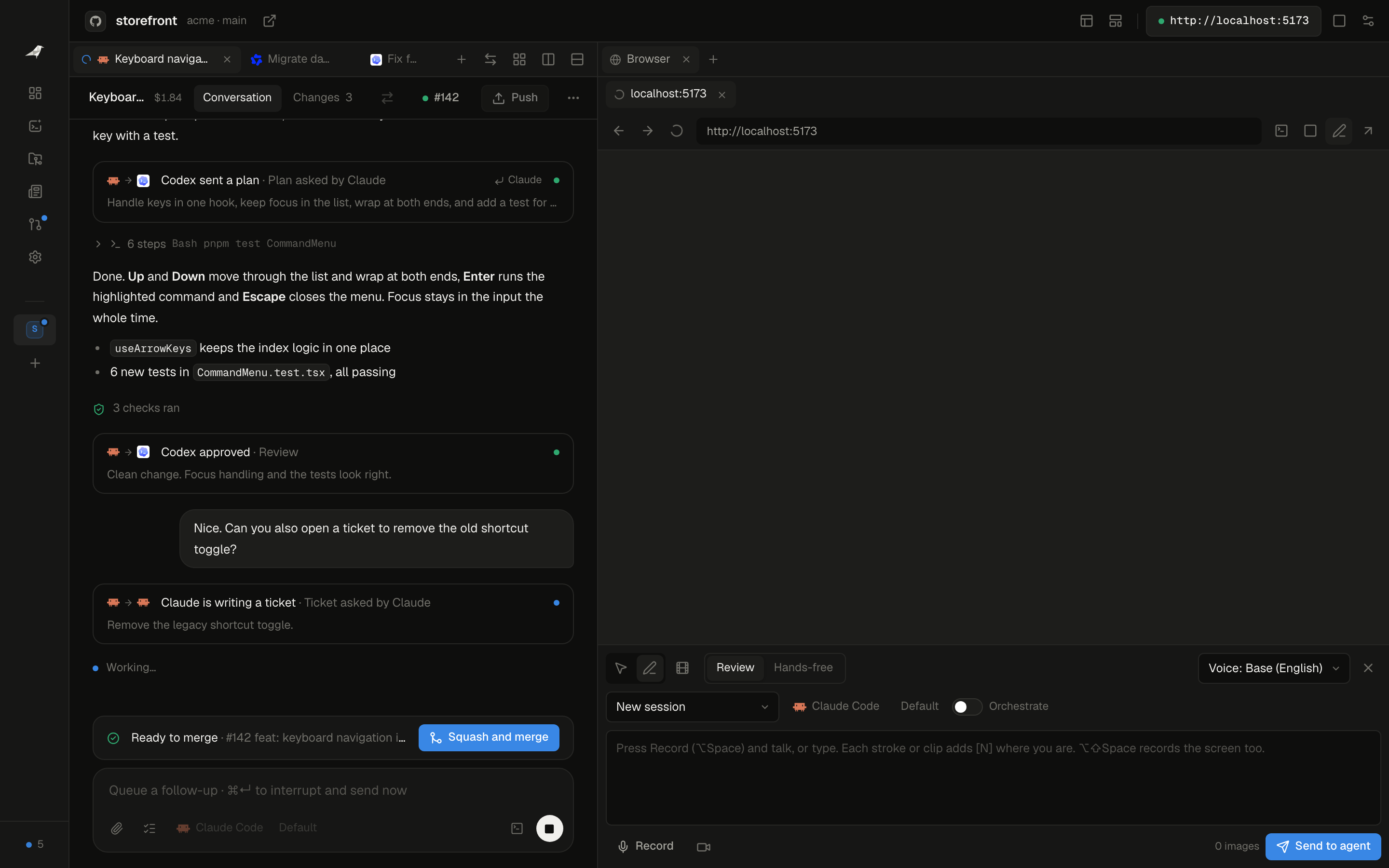
Fledge mode open inside the built-in browser panel with Review and Hands-free modes, voice transcription, screen recording, and orchestrate toggle.
Red-ink annotations
Every pen stroke captures a numbered screenshot [N] with the page URL, CSS selector, and element context.
Voice & screen clips
Speak while browsing and drawing—each marker is woven into the exact word you were saying, with optional screen-recording filmstrips.
Review or Hands-free
Review notes and captures before sending, or use hands-free mode and say “that’s it” to dispatch straight to an agent or orchestrator.

Let good work take flight.

Code, research, writing, Factory mode, and Fledge mode—in one calm workspace.