Product
One workspace.Every stage of the change.
Bring an idea, choose your agents, and follow the change from the first message to a merged pull request.

01 · Shape
A layout forevery kind of work.
Start from a preset for code, planning, research or review, or arrange the panels your own way.
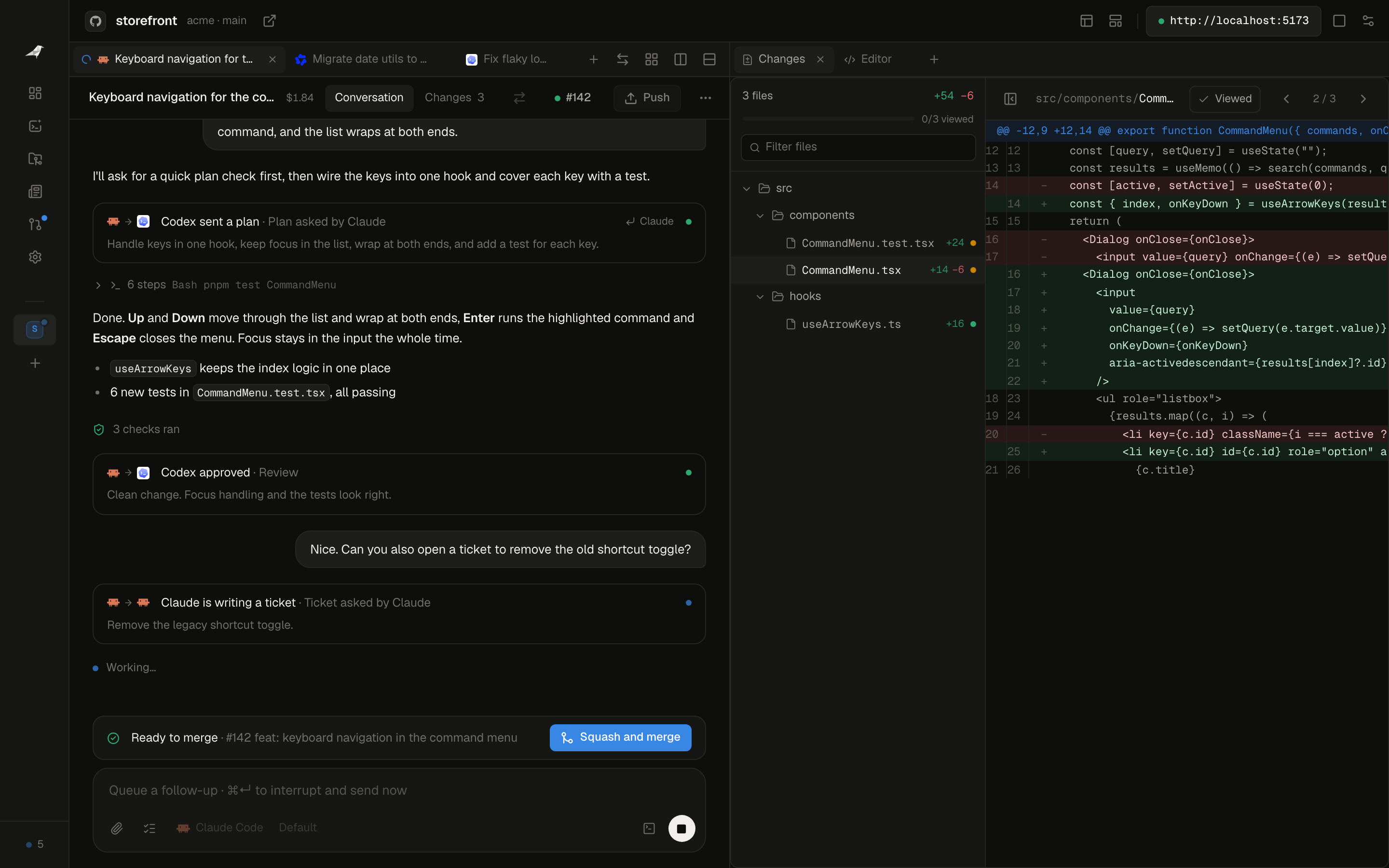
Your own layout
Split, reorder and resize any panel. Your arrangement is kept per project.
A terminal in the worktree
Ctrl + ` opens a shell on the session’s own branch.
Mods
Add your own panels and themes. They reload as you save.
02 · Build
Isolated branches.Closed-loop CI.
Run several tasks at once. When CI fails, the logs go back to the agent that wrote the change.
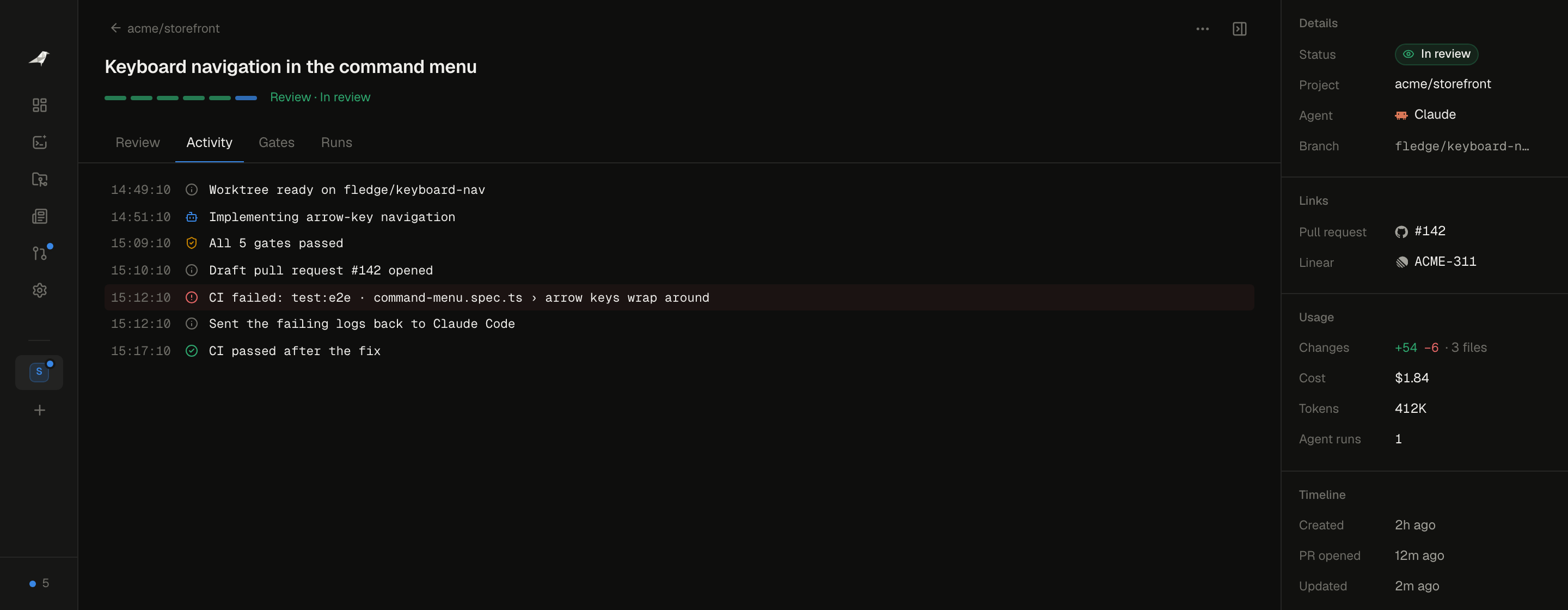
A worktree per task
Every task has its own branch and worktree, so nothing collides.
Right-sized changes
Large tasks split into small pull requests that merge in order.
Needs you
Only the decisions and reviews waiting on you rise to the top.
03 · Verify
Verified beforeit reaches review.
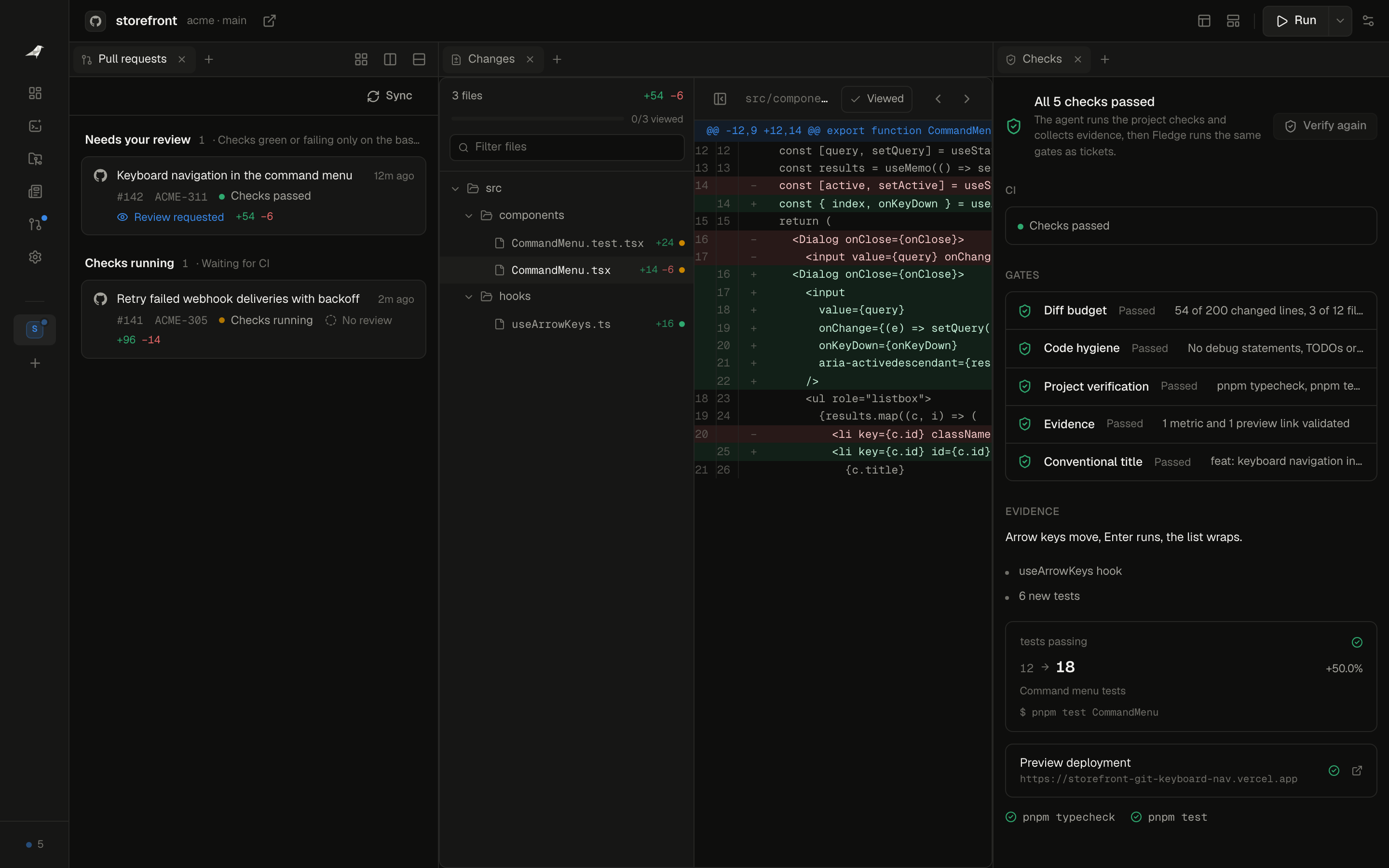
Five checks run before a pull request opens. Anything that fails goes back to the agent with the exact output.
-
01
Diff budget
Keeps each pull request small and focused.
-
02
Code hygiene
No debug logs, conflict markers or stray edits.
-
03
Project checks
Your own tests, types, lint and build.
-
04
Evidence
Screenshots, preview links or metrics, attached to the pull request.
-
05
Clear title
A title that says what the change does.
04 · Collaborate
A second opinionwithout switching tools.
Bring in another agent to plan, review or take a task of its own, and shape documents together.
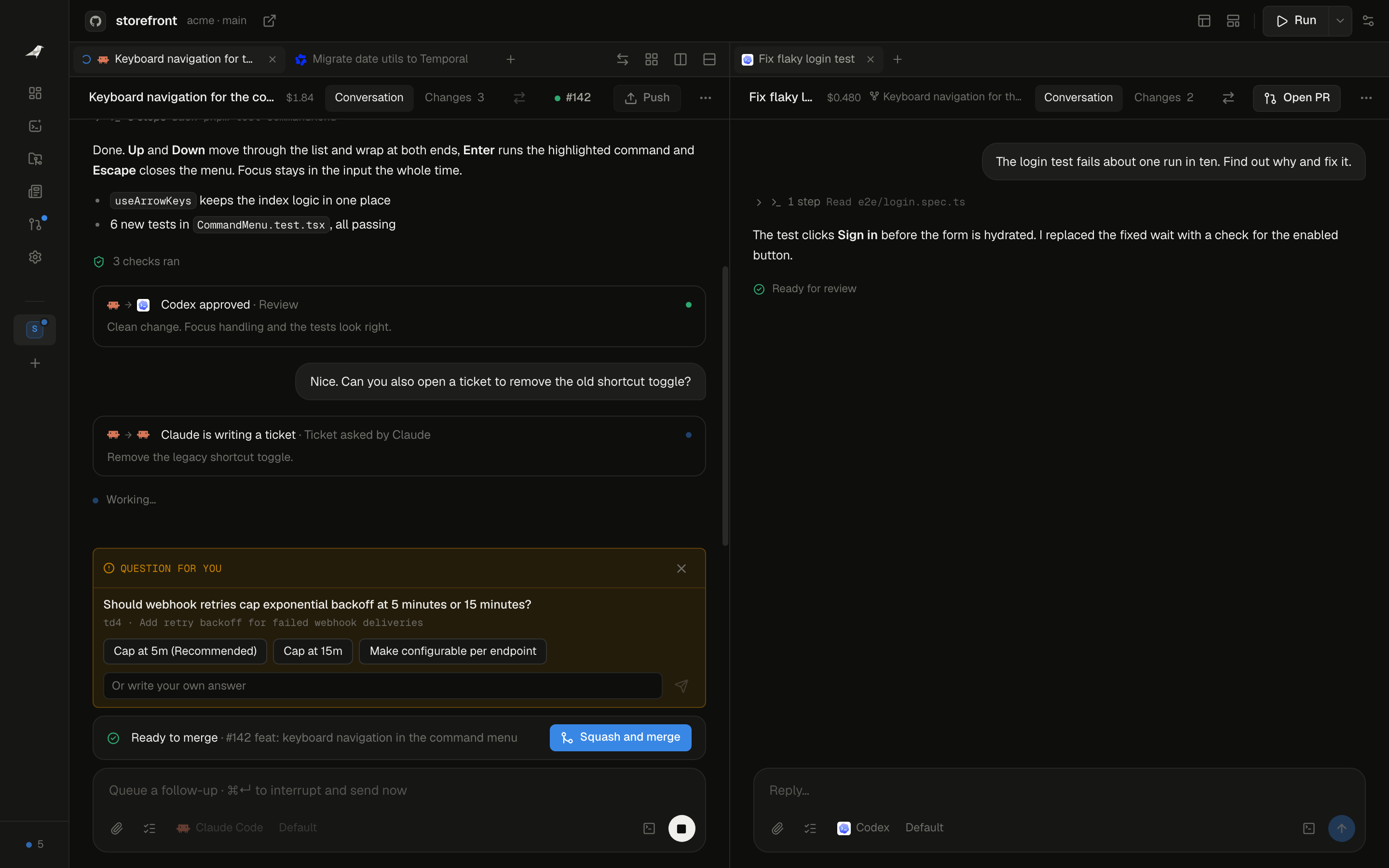
Delegate in parallel
Hand a side task to another agent. It runs on its own branch, and you merge what you keep.
Ask for a second opinion
A planner and a reviewer are one click away, inside the session.
Documents, together
Decks, workbooks and documents that agents and teammates edit live.
05 · Your stack
Your agents.Your machine.
Use the agents, models and forges you already have. Your workspace and credentials stay on your machine.
- Coding agents
-
 Claude Code
 Codex
 Gemini CLI
 GitHub Copilot CLI
 Cursor CLI
 OpenCode
and 37 more
- Model providers
-
 Ollama
 vLLM
 OpenRouter
 OpenAI-compatible
- Forges & tools
- GitHub, GitLab, Bitbucket and Gitea / Forgejo, cloud or self-hosted. Linear, Slack, and local projects without source control.
- Data & privacy
- Your workspace stays on your Mac or Linux machine, with tokens in the system keychain. Account sync covers finished-run metadata, never code, diffs or ticket bodies.
Let good work take flight.
Your agents. Your standards. A little more space to think.